

Explore the best RPA tools in 2026. Compare features, pricing, scalability, and AI capabilities for enterprise automation and workflow efficiency.


TD;LR
- Market Boom: RPA market hits ~$28B by 2026 (30%+ CAGR), driven by AI integration for efficiency in finance, healthcare, retail.
- Top 5 Tools: UiPath (enterprise leader), Automation Anywhere (cloud-native), Blue Prism (compliance-focused), Microsoft Power Automate (M365 integration), Solvexia (finance specialist) with detailed features/pros/cons.
- How RPA Works: Bots mimic human UI actions in 3 phases—design/record, execute (attended/unattended), orchestrate/monitor structured tasks.
- RPA + Agentic AI: Traditional RPA handles "doing" (rule-based execution); platforms like Adopt AI, UiPath Agentic, Konverso.ai add "thinking" (NLP, decisions) for end-to-end workflows.
- Key Benefits/Challenges: 24/7 accuracy, cost savings, no IT changes; but scaling, maintenance, culture shifts need governance
Robotic Process Automation (RPA) tools are software applications that use software robots, or “bots”, to automate repetitive, rule-based tasks traditionally performed by humans. They mimic human actions on user interfaces, enabling organizations to improve efficiency, reduce errors, and accelerate business processes without changing existing IT infrastructure.
Business automation through RPA played a major role in the first wave of enterprise automation by streamlining high-volume, rules-driven workflows across industries such as manufacturing, healthcare, finance, and technology. By automating repetitive tasks, organizations were able to free human resources to focus on more strategic activities that drive innovation and growth.
The RPA market is expected to see significant expansion, with projections estimating the global market to reach around $28 billion by 2026, growing at a compound annual growth rate (CAGR) exceeding 30% in coming years. In North America alone, the market is predicted to grow at a CAGR of 28.5% from 2026 to 2033, reaching a valuation close to $39.5 billion. This growth is driven by increased demand for operational efficiency, cost reduction, and enhanced customer service through intelligent automation that integrates AI and machine learning capabilities with RPA platforms.
However, as enterprise environments become more complex, spanning dozens of interconnected systems and dynamic workflows, many organizations are recognizing that UI-based automation alone is no longer sufficient to support modern AI-driven operations.
Rather than replacing RPA entirely, enterprises are increasingly complementing it with agentic automation platforms such as Adopt AI, which operate at the system and action level to enable AI agents to reliably execute workflows across applications, APIs, and data environments.
What is RPA?
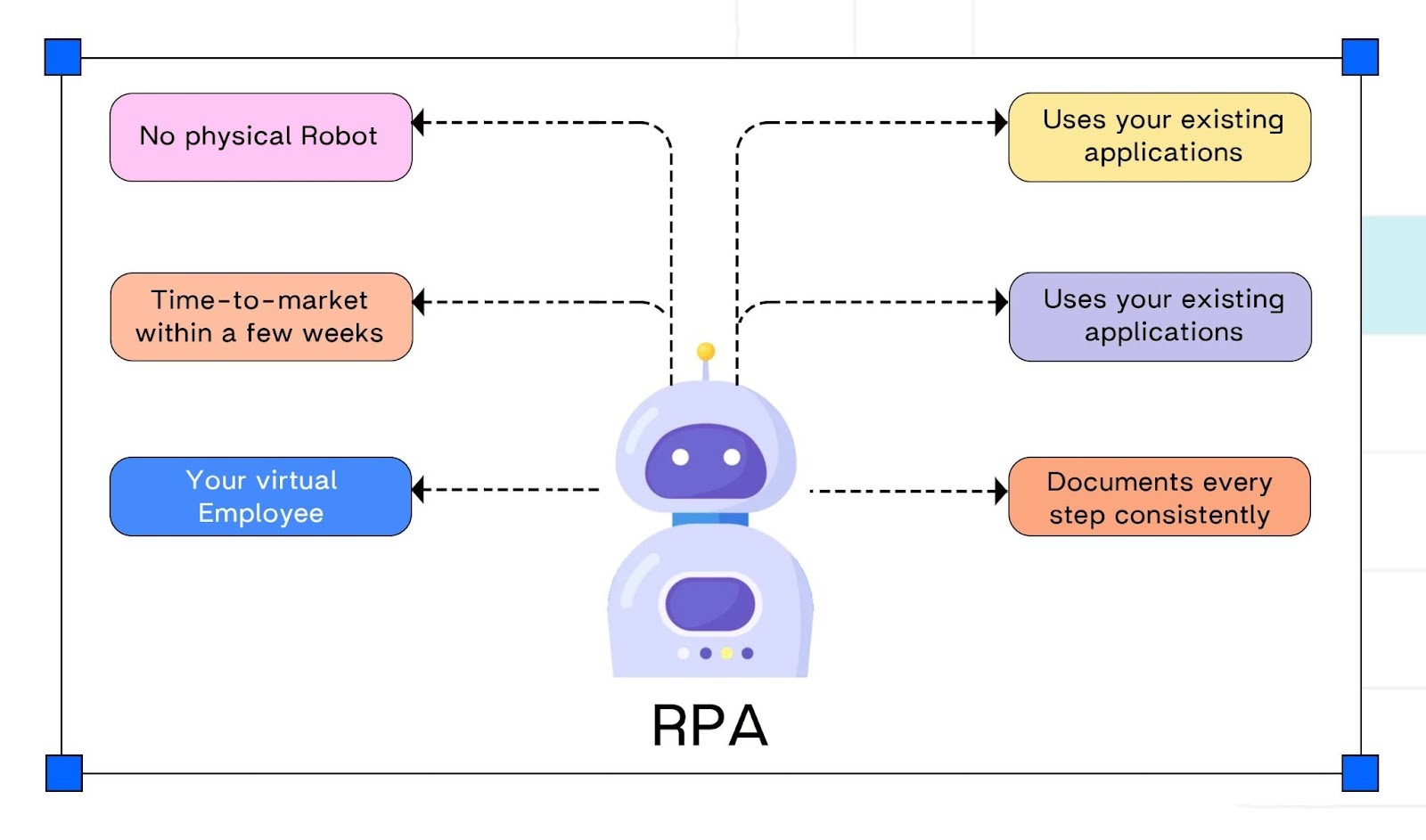
Robotic process automation (RPA), also known as software robotics, uses automation technologies to perform repetitive, rule-based tasks traditionally handled by human workers, such as extracting data, filling in forms, moving files, and updating records.
RPA combines application programming interfaces and user interface interactions to execute repetitive processes across enterprise and productivity applications. By deploying scripts that emulate human actions, RPA tools automate structured activities and transactions across otherwise disconnected systems.
This form of automation relies on predefined rules to perform high-volume business process tasks, freeing human resources to focus on more complex and strategic work. For CIOs and enterprise leaders, RPA has served as an important entry point into digital transformation by delivering faster task execution and measurable operational efficiency gains.
How does RPA work?
Robotic Process Automation works by deploying software bots that are programmed to mimic the actions of a human worker interacting with digital systems. Its primary purpose is to automate repetitive, rule-based, and time-consuming tasks.
RPA is often described as a “digital worker” that operates on a PC, desktop, or server and interacts with applications in the same way a person would, through screens, menus, and forms.
Below is how RPA typically operates.
The RPA Process: Step-by-Step
The automation process typically follows these key stages:
1. Identify & Design (The "Learning" Phase)
- Identify: A suitable task is chosen for automation. This task must be rule-based (e.g., If X happens, then do Y) and involve structured data (or semi-structured data that can be templated).
- Design/Record:An RPA developer or business user builds the automation workflow. In many RPA tools, this is done by using a low-code/no-code interface or by simply recording a human user performing the task (e.g., mouse clicks, keystrokes, data entry).
2. Execution (The "Doing" Phase)
Deployment
The software robot (bot) is deployed to run in a specific environment.
- Unattended RPA: The bot works independently on a remote server, often running on a schedule or triggered by a system event (e.g., a new file arriving). Best for high-volume, back-office processes.
- Attended RPA: The bot works on an employee's desktop as a "digital assistant," often triggered on demand to assist with complex tasks that require human-in-the-loop oversight (e.g., in customer service).
Mimicking Action
- The bot executes the predefined sequence of steps, interacting with applications via their user interfaces (UIs).
For example, it will log into a system, navigate menus, copy data from a spreadsheet, and paste it into a web form.
3. Orchestration & Governance
Monitoring
The entire digital workforce is managed from a central platform (often called the Control Room or Orchestrator). This platform monitors the health, performance, and scheduling of all bots.
Error Handling
If the bot encounters an issue (an exception), it follows predefined rules (e.g., retry, log the error, or escalate the task to a human for review).
Directional Bridge
This UI-driven execution model explains both RPA’s early success and its growing limitations in modern enterprise environments. As workflows span multiple systems, require contextual decision-making, and evolve continuously, organizations are shifting toward agentic automation platforms such as Adopt AI to enable system-level intelligence, orchestration, and operational resilience, while RPA continues to serve primarily as a task execution layer.
Modern Intelligent Automation Platforms Beyond Traditional RPA
While traditional Robotic Process Automation (RPA) tools focus on automating repetitive, rule-based tasks through software bots, a new generation of intelligent automation platforms is emerging. These platforms combine AI-powered agents, machine learning, and no-code automation to deliver more advanced, adaptable, and scalable automation solutions.
Adopt AI represents this shift toward agentic automation. Rather than extending RPA at the user interface layer, Adopt operates at the system and action level, enabling applications to be agentified through discovered APIs, business logic, and reusable execution actions. This allows AI agents to orchestrate workflows across systems with far greater reliability than UI-based automation.
This architectural approach supports complex workflows involving unstructured data, contextual decision-making, and natural language interaction, making it well suited for enterprises that need automation to evolve beyond task repetition and into true system-level execution.
Consider the process of customer service ticket handling:
Traditional RPA:
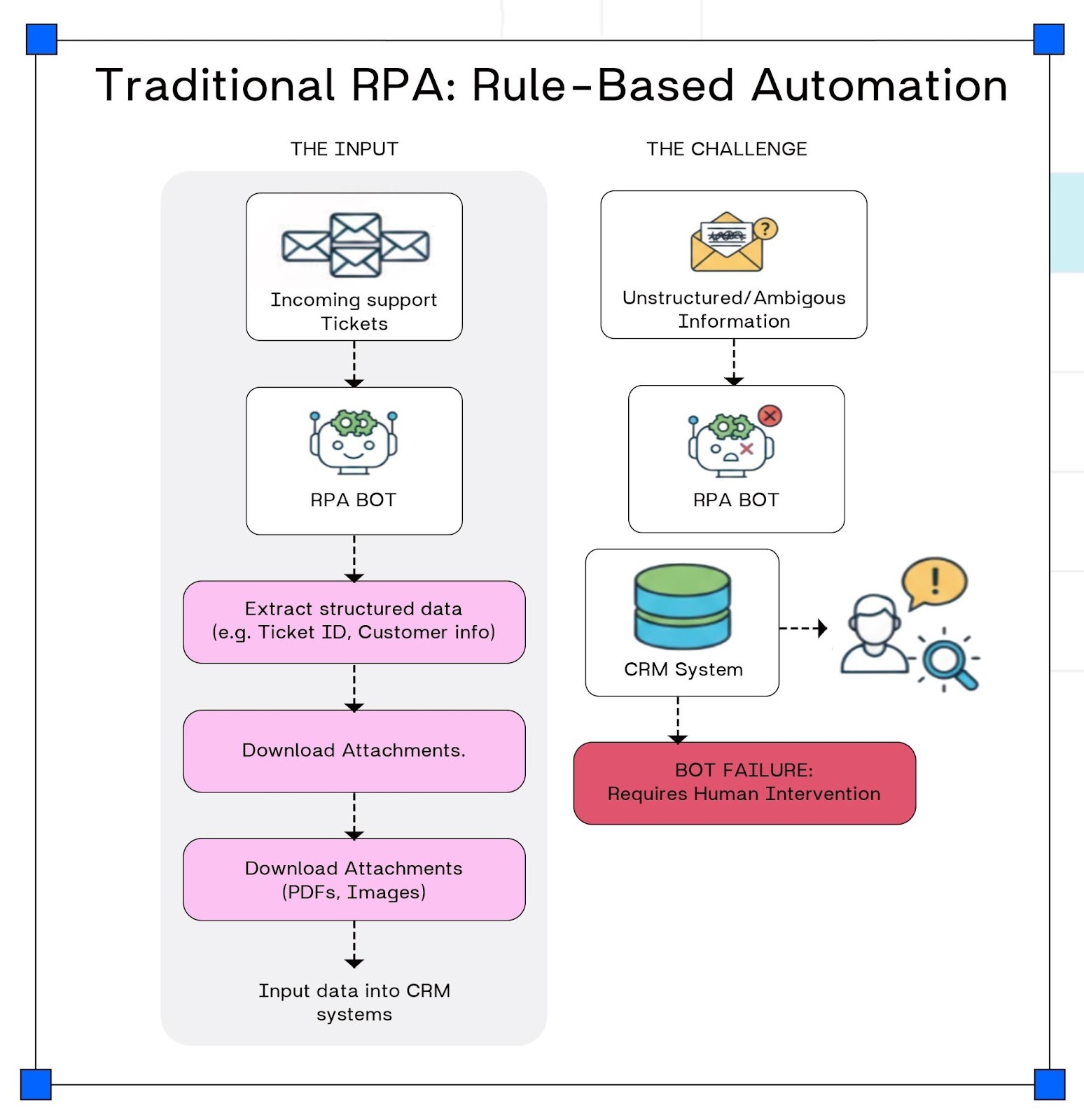
An RPA bot follows predefined, rule-based steps to route tickets.
It automatically extracts structured data from incoming tickets, downloads attachments, and inputs information into a Customer Relationship Management (CRM) system.
However, if a ticket contains unstructured or ambiguous information, the bot may fail or require human intervention to clarify and correctly route the request.
Automation Agent AI:
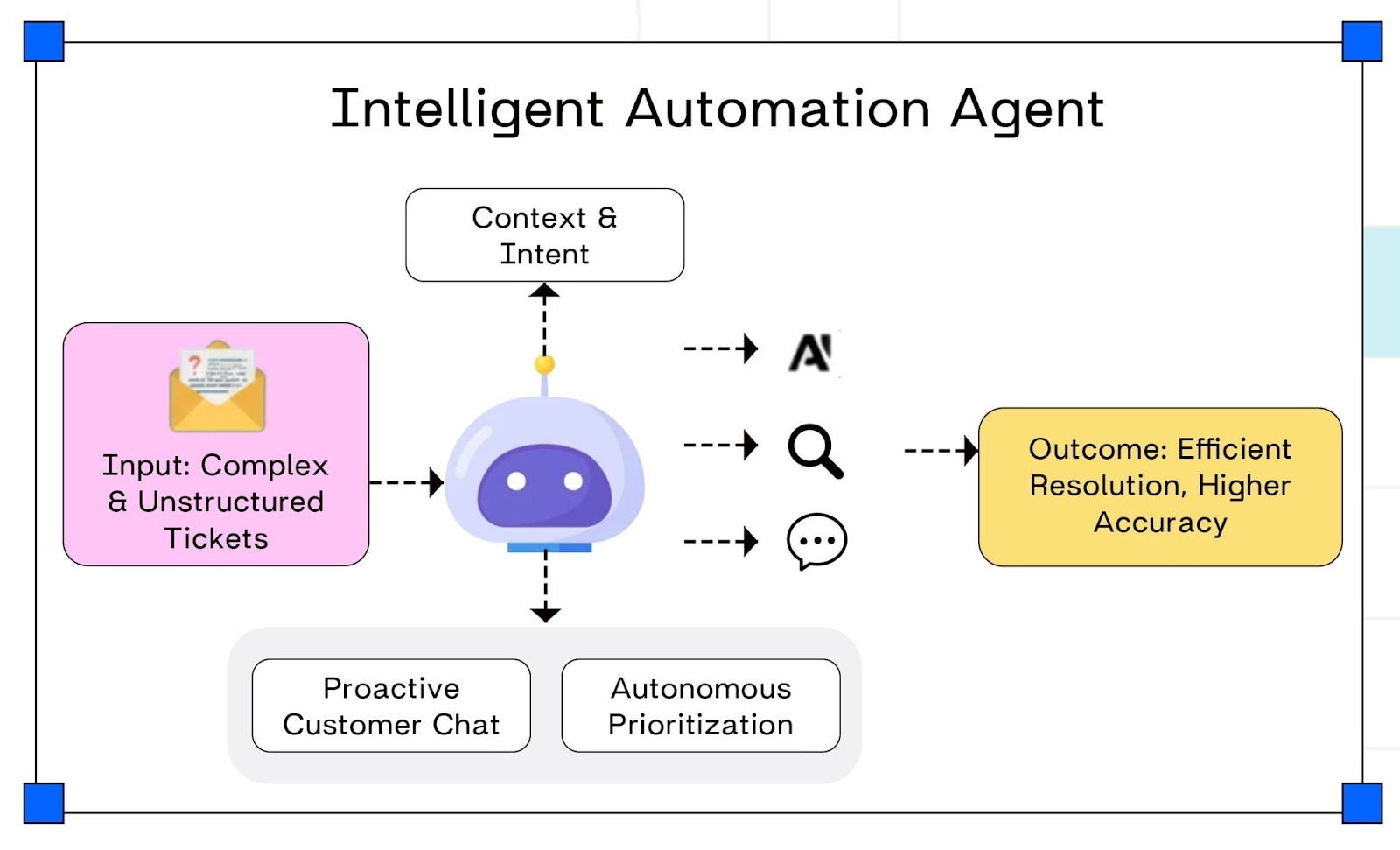
- Input stage: The system receives complex, unstructured customer tickets as input (emails, free-text messages, messy descriptions).
- Understanding stage: The intelligent automation agent analyzes each ticket using natural language processing (NLP) to understand the context and intent (what the user wants and what the issue is).
- Decision and enrichment stage: Based on this understanding, the agent performs autonomous prioritization, deciding which tickets are urgent or important, and can search for or fetch additional information needed to resolve the issue.
- Interaction stage: The agent conducts proactive customer chat, asking follow-up questions, clarifying missing details, and providing status updates without needing a human in the loop.
- Outcome stage: Because it can handle unstructured input, understand intent, prioritize, and chat proactively, it delivers faster, more efficient resolution and higher accuracy than basic rule-based automation.
An intelligent automation agent like this goes beyond traditional RPA by understanding unstructured queries, classifying intent, extracting relevant information in any format, and autonomously prioritizing and resolving tickets while keeping customers informed.
This example illustrates how agentic automation extends beyond the rule-based limitations of traditional RPA, enabling enterprises to automate more cognitive, dynamic, and customer-facing processes with higher accuracy and flexibility.
There are now several tools that provide these advanced intelligent automation capabilities, combining AI, no‑code design, and agent-based workflows for more dynamic automation. These platforms go beyond traditional RPA by handling unstructured data, natural language, and complex decision-making.
Examples of such platforms include: Adopt AI, UiPath Agentic Automation, Konverso.ai, Microsoft Copilot Studio, and Kore.ai, which blend AI, no-code development, and intelligent agents to automate cognitive processes across industries.
Examples of such platforms include:
- Adopt AI – No-code agent builder that "agentifies" existing apps by auto-discovering APIs/UI, enabling natural language execution of complex workflows across your application stack.
- UiPath Agentic Automation – Combines traditional RPA with AI agents using Agent Builder and Maestro orchestration to coordinate humans, robots, and AI for end-to-end processes like invoice disputes.
- Konverso.ai – Agentic AI for ITSM/HR/customer service with ready-to-use agents that integrate ServiceNow, Jira, Teams, and custom systems to automate tickets, workflows, and employee support.
- Microsoft Copilot Studio – Low-code agent builder integrated with Microsoft 365/Copilot for creating conversational agents with templates, knowledge sources, and natural language prompts.
- Kore.ai – No-code Experience Optimization Platform for building AI assistants across customer service, HR, IT, banking, and retail with multi-agent orchestration and workflow automation
RPA and these intelligent/agentic automation platforms work together by combining their complementary strengths to deliver end-to-end automation that spans from structured, rule-based tasks to complex, cognitive workflows.
- RPA (like UiPath traditional bots) excels at repetitive, well-defined tasks involving structured data and system interactions via UI or APIs. It reliably executes fixed sequences like data entry, report generation, and application updates.
- Agentic AI platforms (Adopt AI, UiPath Agentic Automation, Konverso.ai, Microsoft Copilot Studio, Kore.ai) add a layer of intelligence that understands natural language, interprets unstructured data, reasons over context, and makes autonomous decisions. They can converse with users, prioritize work, and orchestrate multi-step workflows across systems.
Together:
- The agentic AI interprets high-level user instructions or complex unstructured inputs (emails, tickets, chat messages).
- It then decomposes them into actionable steps and orchestrates the right sequence of tasks.
- Next, the agent triggers traditional RPA bots to execute rule-based operations within existing applications (clicking, copying, API calls).
- This combination creates a seamless, adaptive automation that handles both “thinking” (AI-driven decision-making) and “doing” (RPA-driven execution) tasks.
Top RPA Tools to Watch in 2026
Adopt AI
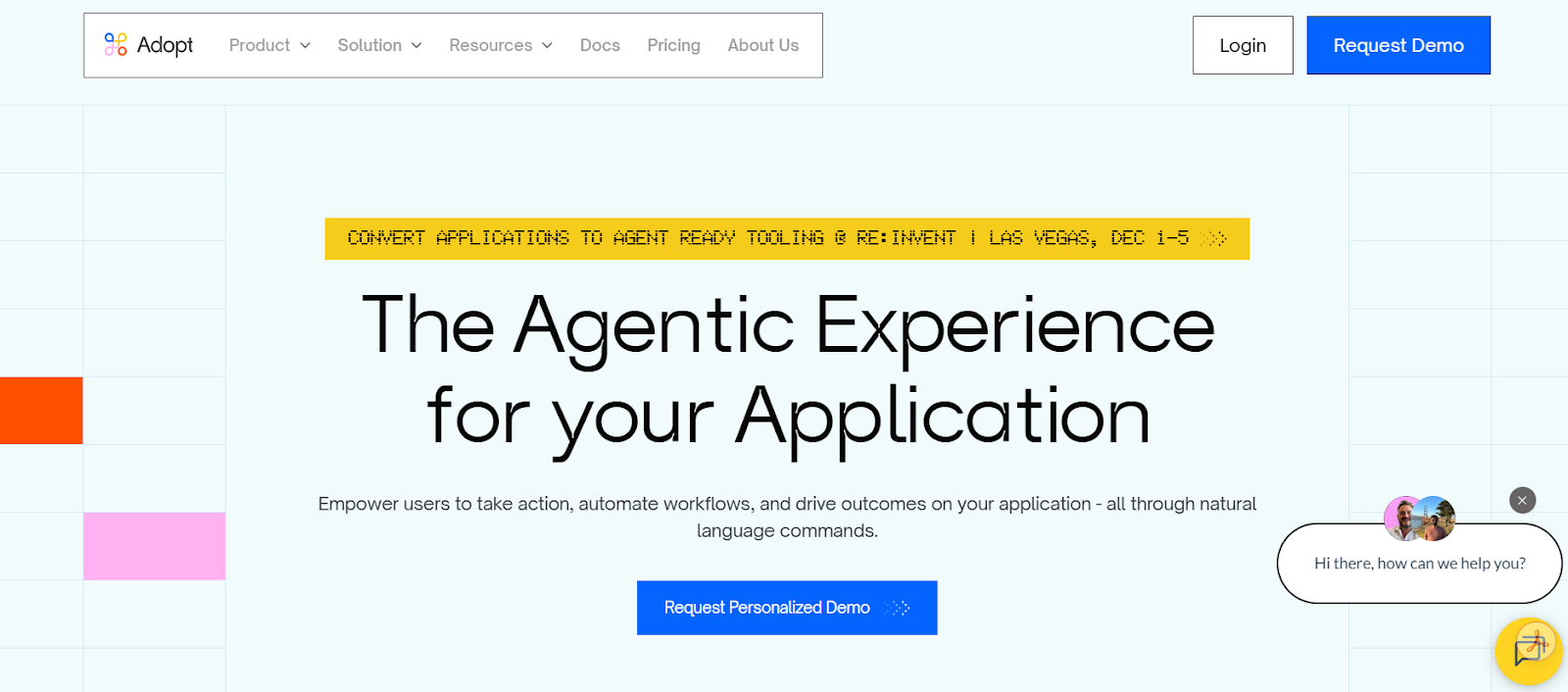
Leading agentic AI platform acting as an intelligent layer over iPaaS/RPA solutions, enabling zero-shot agents for autonomous workflows, natural language orchestration, and context-aware decision-making across apps.
Key features
- Agent Builder for instant zero-shot agent creation from natural language prompts and automatic API mapping.
- Natural language interface for conversational workflow triggers, data retrieval, and multi-step orchestration.
- Context-aware reasoning engine that analyzes unstructured data, handles exceptions, and dynamically routes tasks.
- Seamless layering over iPaaS (Workato, MuleSoft) and RPA tools, with unified monitoring and governance dashboard.
- Built-in tool integration and LLM orchestration supporting multiple models for adaptive automation.
Advantages
- Dramatically faster deployment via zero-shot agents, reducing setup from months to days without custom coding.
- Intelligent adaptability outperforms static rules, boosting workflow completion rates with exception handling.
- Preserves iPaaS/RPA investments while adding a cognitive layer for business users and non-technical orchestration.
Disadvantages
- Introduces added complexity in agent orchestration, prompting, and multi-tier monitoring.
- Heightened governance needs for autonomous actions, audit trails, and compliance across systems.
- Higher costs from LLM usage and requires AI expertise for optimization at scale.
Enterprise applications
Adopt AI enhances enterprise automation in finance, customer service, and operations for use cases like intelligent ticket resolution, dynamic contract analysis, and cross-app exception management. For example, early adopters in fintech have layered it over Workato to automate compliance checks and fraud detection, transforming rigid iPaaS flows into autonomous agents that cut resolution times from hours to minutes.
Community support
Adopt AI provides a growing developer ecosystem with documentation, a community forum for agent troubleshooting, interactive tutorials via Adopt Academy, and an Agent Marketplace with pre-built zero-shot templates and API connectors. These resources enable quick onboarding, prompt sharing, and rapid prototyping of agentic workflows on existing iPaaS stacks.
UiPath
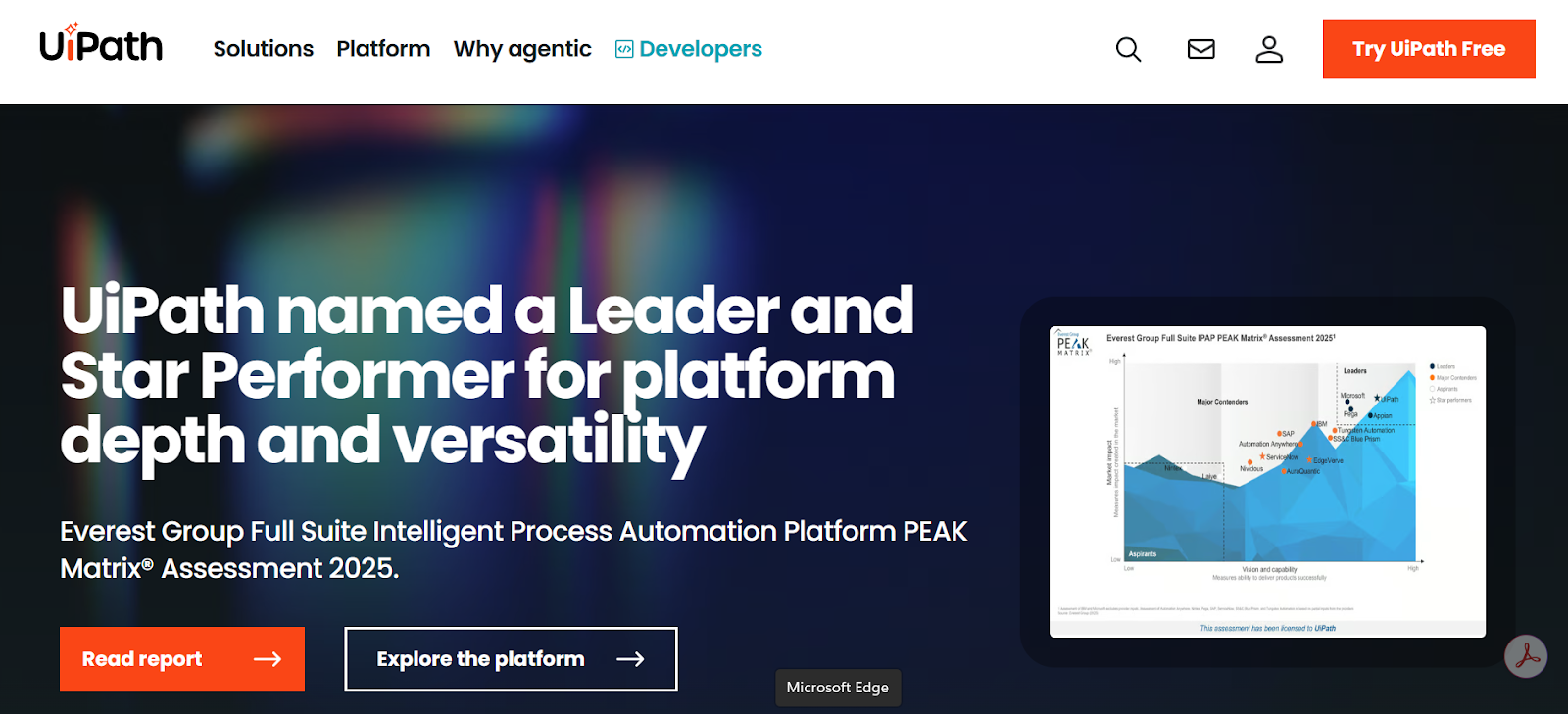
Leading enterprise RPA platform with strong low-code design, attended/unattended bots, and built‑in AI modules for document understanding and task mining.
Key features
- Low-code Studio for designing workflows with drag-and-drop activities.
- Attended and unattended robots for both desktop and server-side automation.
- Built-in AI modules (Document Understanding, AI Center, Task/Process Mining).
- Large activity marketplace and integration ecosystem (ERP, CRM, legacy, APIs).
- Central Orchestrator for scheduling, monitoring, queues, and governance.
Advantages
- Very strong ecosystem, documentation, and community support.
- Good balance of low-code for business users and extensibility for developers (C#, .NET, custom activities).
- Enterprise-grade orchestration, logging, and security out of the box.
Disadvantages
- Licensing and infrastructure costs can be high for small teams.
- Studio and Orchestrator can feel heavy/complex for simple use cases.
- Upgrades and version compatibility need careful management in large estates.
Enterprise applications
UiPath is used across banking, healthcare, retail, and logistics for use cases like KYC processing, invoice handling, claims processing, and customer onboarding. For example, Federal Bank used UiPath robots to automate merchant onboarding and large-scale record merging, cutting processing time from a full day of manual work to continuous 24×7 automation.
Community support
UiPath offers one of the strongest developer ecosystems in the RPA space, including a free Community Edition, the UiPath Forum for Q&A and troubleshooting (https://forum.uipath.com), UiPath Academy for structured learning paths (https://academy.uipath.com), and the UiPath Marketplace with thousands of reusable activities and templates (https://marketplace.uipath.com).
These resources make it easy for developers to ramp up quickly, share best practices, and accelerate delivery using prebuilt integrations instead of building everything from scratch. If you're already using UiPath, you might want to read our UiPath Alternatives.
Automation Anywhere
Automation Anywhere: Cloud-native RPA suite offering scalable bots, intelligent automation features, and deep analytics for large, distributed enterprises
Key features
- Cloud-native control room and bot deployment (SaaS-first architecture).
- Attended/unattended bots with browser-based bot editor.
- Built-in IQ Bot / AI capabilities for semi-structured documents and ML models.
- Analytics and dashboards for bot performance and ROI tracking.
- Role-based security, audit logs, and centralized governance for large deployments.
Advantages
- Strong fit for organizations that prefer cloud/SaaS and want to avoid heavy on-prem setup.
- Tight integration of RPA + cognitive features in one platform.
- Scales well for large, distributed bot fleets.
Disadvantages
- Web-based designers can feel slower / less flexible than full IDEs for complex dev work.
- Advanced AI features often require extra licensing and tuning effort.
- Migration / vendor lock-in concerns if you later move to another RPA stack.
Enterprise applications
Automation Anywhere is widely deployed in insurance, media, manufacturing, and telecom for processes like HR onboarding, finance operations, IT provisioning, and contact center automation. Large enterprises have reported multimillion‑dollar savings, major reductions in recruitment hours, and tens of thousands of human hours redirected to higher-value work through its digital workforce
Community support
Automation Anywhere supports its developer community via Automation Anywhere University for training and certifications, the A‑People forum for collaboration and troubleshooting, plus a library of customer stories and bot templates. These resources simplify learning and help scale automation programs
Blue Prism (SS&C Blue Prism)
Blue Prism (SS&C Blue Prism): Enterprise-grade RPA focused on security, governance, and compliance, widely used in banking, insurance, and other regulated industries.
Key features
- Visual process designer with object-oriented “Digital Workers.”
- Strong role-based access control and enterprise security model.
- Centralized Control Room for scheduling, monitoring, and workload balancing.
- Library of reusable business objects for common apps and protocols.
- Integration with BPM / case management and external AI services.
Advantages
- Very strong governance and compliance posture, ideal for regulated industries.
- Reusable object model encourages cleaner architecture and long-term maintainability.
- Stable and battle-tested in large banks, insurers, and healthcare orgs.
Disadvantages
- Less “friendly” for non-technical users compared to some low-code tools.
- Cloud-native and AI capabilities lag newer platforms without extra components.
- Development and deployment lifecycle can feel heavy for quick experiments/POCs.
Enterprise applications
Blue Prism is heavily used in banking, insurance, and shared services to automate financial crime checks, HR and finance shared services, and back-office workflows. For instance, Coca‑Cola uses Blue Prism digital workers in HR and finance shared services to extend capacity from an 8‑hour day to 24‑hour operations without adding headcount, improving both efficiency and customer experience.
Community support
Blue Prism’s developer community includes the Blue Prism Community portal with forums, best practices, and reusable assets, along with extensive customer case studies. This supports developers building compliant, secure automations in regulated environments.
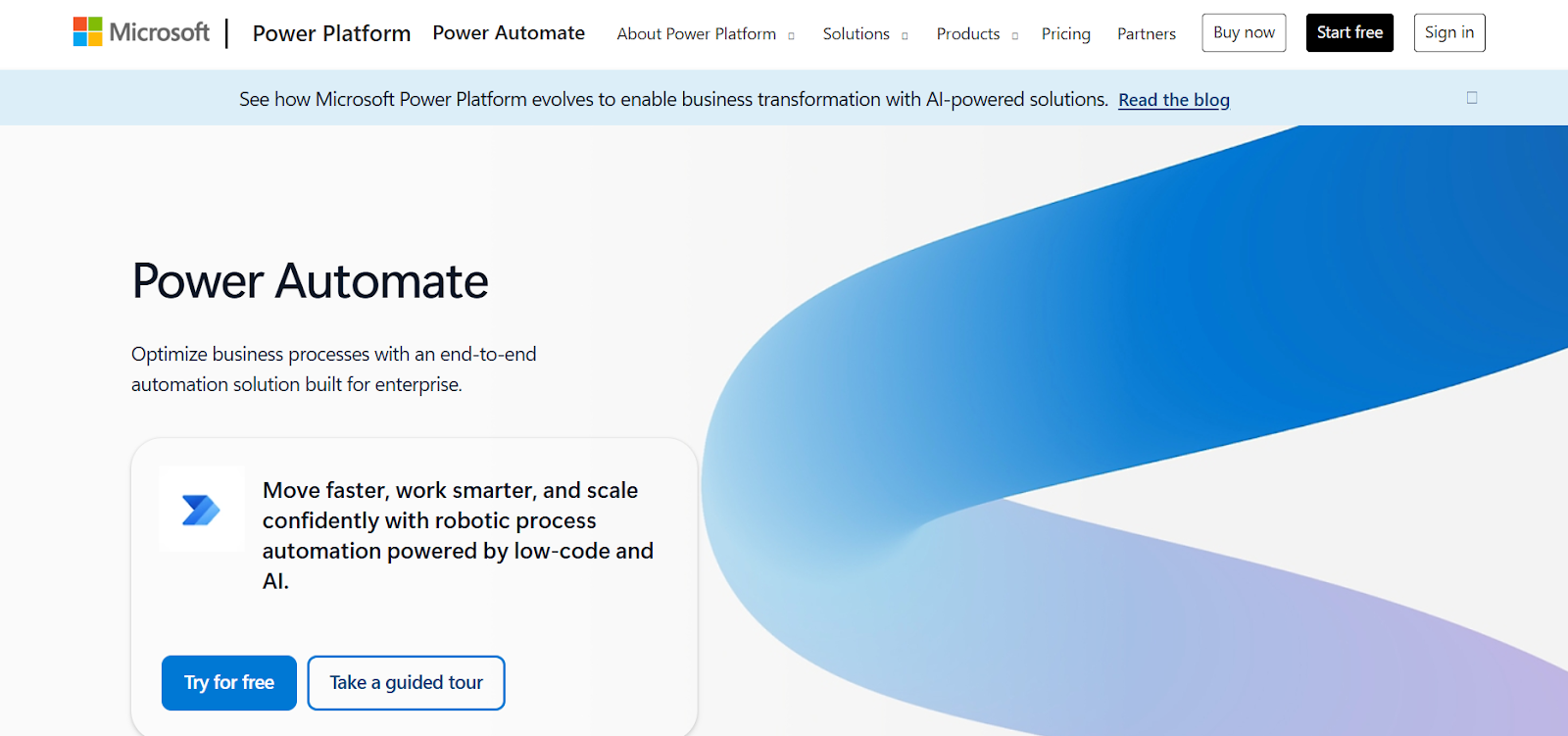
Microsoft Power Automate
Microsoft Power Automate: RPA and workflow automation tightly integrated with Microsoft 365 and Azure; good for organizations already on the Microsoft stack.
Key features
- Cloud flows + desktop flows (RPA) in one platform.
- Deep integration with Microsoft 365, Dynamics 365, and Azure services.
- Large connector library (SharePoint, Teams, Outlook, SQL, third-party SaaS).
- AI Builder for low-code AI (forms processing, classification, sentiment, etc.).
- Centralized management: environments, monitoring, analytics, and hosted RPA bots.
Advantages
- Natural choice if you are already in the Microsoft ecosystem (AAD, M365, Azure).
- Very low barrier to entry for business users; good for citizen developers.
- Single platform for API-based workflows, RPA, and basic AI.
Disadvantages
- Desktop RPA still not as mature/flexible as specialist RPA tools for some edge cases.
- Complex licensing matrix (per-user, per-flow, unattended, AI Builder credits).
- Vendor lock-in risk if flows rely heavily on proprietary connectors and M365 features.
Enterprise applications
Power Automate is adopted by thousands of large organizations to connect Microsoft 365, Dynamics 365, and line-of-business apps for scenarios like document approvals, ticket routing, HR onboarding, and customer-service automation. For example, insurance company Nsure used Power Automate with AI capabilities to cut manual processing time by 60% and related costs by 50% in their customer processes.
Community support
Microsoft Power Automate benefits from the wider Power Platform community through its official forum, comprehensive documentation on Microsoft Learn, and thousands of community-built templates. Integration with Azure DevOps and GitHub further supports developers.
Solvexia
Solvexia: Automation platform geared toward finance and accounting teams, specializing in automating data-heavy processes like reconciliations and reporting.

Key features
- No-code/low-code automation tailored for finance and accounting processes.
- Strong data ingestion and transformation (Excel, CSV, databases, XML, PDFs, etc.).
- Built-in reconciliation, mapping, validation, and calculation components.
- Workflow, approvals, and alerting around financial processes (close, reporting, rebates).
- Governance, audit trails, and access control suited to finance and regulatory needs.
Advantages
- Very strong fit for F&A teams automating reconciliations, regulatory reports, revenue/expense analysis.
- Lets finance users automate heavy Excel-based processes without a full IT project.
- Rich audit and control features help with compliance and external audits.
Disadvantages
- Narrower focus: great for finance, less general-purpose than UiPath/AA/Power Automate.
- Smaller ecosystem/community compared to big RPA vendors.
- Deep customization beyond finance workflows may require more vendor involvement.
Enterprise applications
Solvexia is used by finance and insurance organizations to automate reconciliations, regulatory reporting, collections, revenue and expense analysis, and complex bordereau or partner-settlement calculations. Customer stories include global insurers and financial services providers automating hundreds of monthly approvals, processing hundreds of thousands of transactions 32× faster, and significantly improving accuracy and transparency in financial workflows.
Community support
Solvexia’s community is focused on finance and accounting automation, providing targeted resources, product documentation, and customer success stories. These specialized resources help finance teams automate complex data workflows with confidence.
The benefits of RPA
The benefits of Robotic Process Automation (RPA) are numerous and impactful for businesses seeking efficiency and agility. These benefits include:
- Less coding: RPA platforms often feature drag-and-drop interfaces, enabling non-technical users to configure automation without deep programming skills, accelerating adoption and reducing dependency on IT teams.
- Rapid cost savings: Automation reduces manual workloads, allowing staff to be redeployed to higher-value tasks. This improves productivity and delivers faster return on investment (ROI).
- Higher customer satisfaction: Bots and chatbots operate 24/7, minimizing customer wait times and providing prompt responses, which enhances overall customer experience.
- Improved employee morale: Automating repetitive, mundane work frees employees to focus on strategic, creative, and decision-making activities, boosting job satisfaction and retention.
- Better accuracy and compliance: RPA robots execute predefined workflows precisely, reducing human errors in sensitive areas like regulatory compliance. Additionally, audit trails enable transparent monitoring and faster issue resolution.
- Non-disruptive to existing systems: Since RPA bots interact with the presentation layer (front-end) of existing applications, they avoid costly and time-consuming changes to backend systems or APIs, enabling quick and flexible automation deployment.
Modern intelligent automation tools further enhance these benefits by combining RPA with AI-powered agents and machine learning models. Platforms like Adopt AI, UiPath Agentic Automation, Microsoft Power Automate, and others bring intelligent automation capabilities that can handle unstructured data, natural language interactions, and decision-making processes—extending automation beyond rule-based tasks to more dynamic and cognitive workflows.
By integrating these advanced tools, enterprises not only enjoy traditional RPA advantages but also gain scalability, adaptability, and deeper insights, driving comprehensive digital transformation and sustained competitive advantage.
RPA and Intelligent automation
In order for RPA (Robotic Process Automation) tools in the marketplace to remain competitive, they need to move beyond task automation and expand their offerings to include intelligent automation (IA). This type of automation expands on RPA functionality by incorporating subdisciplines of artificial intelligence (AI), like machine learning (ML), natural language processing (NLP) and computer vision.
Intelligent process automation (IPA) demands more than the simple rule-based systems of RPA. You can think of RPA as “doing” tasks, while AI and ML are about “thinking” and “learning”, respectively. ML trains algorithms using data so that the software can perform tasks in a quicker, more efficient way.
Robotic process automation (RPA) is often mistaken for artificial intelligence (AI), but the two are distinctly different. AI combines cognitive automation, machine learning (ML), natural language processing (NLP), reasoning, hypothesis generation and analysis. The critical difference is that RPA is process-driven, whereas AI is data-driven.
RPA bots can follow only the processes defined by an end user, while AI bots use machine learning to recognize patterns in data—particularly unstructured data—and learn over time. Put differently, AI simulates human intelligence, while RPA replicates human-directed tasks.
While both AI and RPA minimize the need for human intervention, how they automate processes is different. That said, RPA and AI complement each other well:
- AI helps RPA automate tasks more fully and handle complex use cases.
- RPA enables AI insights to be acted on quickly instead of waiting for manual implementation.
Challenges of RPA
While RPA software can help an enterprise grow, there are some obstacles, such as organizational culture, technical issues and scaling.
Organizational Culture
- RPA reduces the need for repetitive manual roles but creates new demands for employees to manage complex tasks and higher-level strategic work.
- Successful adoption requires fostering a culture of continuous learning and innovation as job responsibilities evolve.
- Investing in employee training and education on automation tools prepares teams to adapt and thrive amidst ongoing digital transformation.
Difficulty in scaling
- Scaling RPA across an enterprise can be challenging due to changes in regulations, business processes, and internal systems.
- Forrester reports that over half (52%) of organizations struggle to scale beyond initial pilot or small deployments.
- Achieving an advanced RPA program typically requires managing 100+ active bots, but many initiatives remain limited to fewer than 10 bots, slowing return on investment and broad benefits.
Process Selection and Complexity
Selecting the right processes for automation can be difficult since not all are suitable for RPA. Ideal candidates are stable, rule-based, repetitive, and high-volume. Complex or highly variable processes often require advanced AI or custom development, limiting RPA applicability and potential return.
Bot Maintenance and Upkeep
Bots require ongoing maintenance to adapt to changes in applications, business processes, and IT environments. Without robust governance and monitoring, bots can break or fail, causing operational disruptions and undermining trust in automation programs.
Change Management and Employee Resistance
Resistance to change from employees fearing job loss or skill gaps can hinder RPA adoption. Transparent communication, employee involvement, and training are essential to address concerns and support a smooth transition to new ways of working.
Industry Applications of RPA Technology
There are several industries that leverage RPA technology to streamline their business operations. RPA implementations can be found across the following industries:
Banking & Financial Services
In the Forrester report on “The RPA Services Market Will Grow To Reach USD 12 Billion By 2023”, 36% of all use cases were in the finance and accounting space. More than 1 in 3 bots today are in the financial industry, which is of little surprise, given banking's early adoption of automation. Today, many major banks use RPA automation solutions to automate tasks, such as customer research, account opening, inquiry processing and antimoney laundering. A bank deploys thousands of bots to automate manual high-volume data entry. These processes entail a plethora of tedious, rule-based tasks that automation streamlines.
Below are verified examples of organizations that have successfully deployed RPA in Banking & Financial Services.
Heritage Bank (Australia)
- Automated 60+ manual processes, achieving near-perfect accuracy.
- Greatly accelerated high-volume back-office tasks.
- Improved customer onboarding and KYC verification speed.
Deutsche Bank
- Uses RPA to automate trade finance and compliance workflows.
- Cut transaction processing time by 50%.
- Reduced operational risk from manual data entry errors.
American Express
- Automates card activation, fraud support, and merchant onboarding.
- Enhanced customer service speed and reduced employee workload.
Insurance
Insurance is full of repetitive processes well suited for automation. For example, you can apply RPA to claims processing operations, regulatory compliance, policy management and underwriting tasks.
Below are verified examples of organizations that have successfully deployed RPA in Insurance
AIG
- Implements RPA for claims handling, policy management, and underwriting.
- Shortened manual review timelines and strengthened compliance.
Zurich Insurance
- Reduced claims processing time from 45 minutes to just 5 minutes.
- Boosted customer satisfaction through faster settlements.
Retail & E-Commerce
The rise of e-commerce has made RPA an integral component of the modern retail industry that has improved back-office operations and the customer experience. Popular applications include customer relationship management, warehouse and order management, customer feedback processing and fraud detection.
Below are verified examples of organizations that have successfully deployed RPA in Retail & E-Commerce -
Walmart
- Uses RPA to process millions of invoices with high accuracy.
- Saves thousands of hours in inventory operations and store reporting.
Amazon
- Deploys RPA for vendor onboarding, payment reconciliation, and returns processing.
- Streamlines backend order management and operational workflows.
Healthcare
Accuracy and compliance are paramount in the health care industry. Some of the world's largest hospitals use robotic process automation software to optimize information management, prescription management, insurance claim processing and payment cycles, among other processes.
Below are verified examples of organizations that have successfully deployed RPA in Healthcare
Cleveland Clinic
- Uses RPA for appointment scheduling, billing, and data migration.
- Reduced clerical errors and improved patient flow, especially during COVID-19.
Mayo Clinic
- Automates revenue cycle management, insurance claims, and lab data workflows.
- Increased efficiency in managing large volumes of patient data.
Manufacturing
Siemens
- Combines RPA with ML for procurement automation and inventory forecasting.
- Reduced operational costs and improved accuracy.
Schneider Electric
- Automates order management, compliance reporting, and customer support tasks.
- Achieved faster turnaround time with lower manual effort.
Telecommunications
AT&T
- Uses RPA for network monitoring, service request automation, and issue resolution.
- Improved network uptime and reduced operational cost.
Verizon
- Automates customer billing, fraud detection, and support ticket routing.
- Achieved faster customer responses and fewer complaints.
Energy & Utilities
British Gas
- Automates meter reading, billing adjustments, and customer query processing.
- Reduced call center load and increased accuracy.
Logistics
DHL
- Uses RPA for shipment tracking, invoice automation, and customs documentation.
- Improved supply chain visibility and significantly reduced delays.
Conclusion
RPA tools are transforming business operations by automating routine tasks, enabling faster turnaround times, and freeing human workers to focus on strategic initiatives. They offer scalable, flexible, and cost-effective automation solutions applicable across industries. Choosing the right RPA tool depends on organizational size, budget, infrastructure, and automation goals. Overall, RPA accelerates digital transformation while improving accuracy, compliance, and operational agility.
This comprehensive article overview highlights essential facets of RPA tools based on current industry insights and leading platform capabilities.
Related articles -
5 Best UiPath Enterprise Alternatives for AI Workflow Automation
The 10 Best n8n Enterprise Alternatives for Workflow Automation
5 Open Source & Enterprise-Ready OpenClaw Alternatives for AI Automation
8 Best Make Enterprise Alternatives for AI Workflow Automation
9 Workato Alternatives for Enterprise Automation in 2026
FAQS
What is RPA?
RPA is software that uses bots to automate repetitive, rule-based tasks typically performed by humans.
What kinds of tasks can RPA automate?
Tasks like data entry, invoice processing, customer onboarding, compliance reporting, and IT helpdesk functions.
What are the benefits of using RPA?
Increased efficiency, improved accuracy, reduced operational costs, scalability, and enhanced compliance.
Do you need to change existing IT systems to use RPA?
No, RPA works without make any changes to the IT systems.

.svg)
.svg)


Take three minutes to find out which side of that line you are on.
Browse Similar Articles


Find Your Agentic AI Readiness Score
Every enterprise thinks they are building toward Agentic AI. But only few actually are.
Take three minutes to find out which side of that line you are on.











