AP Automation: The Complete Guide

Anirudh Badam
Co-Founder and CAIO, Adopt AIOct 14, 2026
Every finance team that pays vendors has some version of AP automation already: a capture tool that reads invoice fields, an ERP workflow that routes an approval, maybe a three-way match rule that fires when a purchase order exists. What most teams don't have is AP automation that covers the invoice the capture tool can't read, the duplicate that doesn't look like a duplicate, or the accrual nobody raised. That gap, not the clean half everyone already automated, is what this guide is actually about.
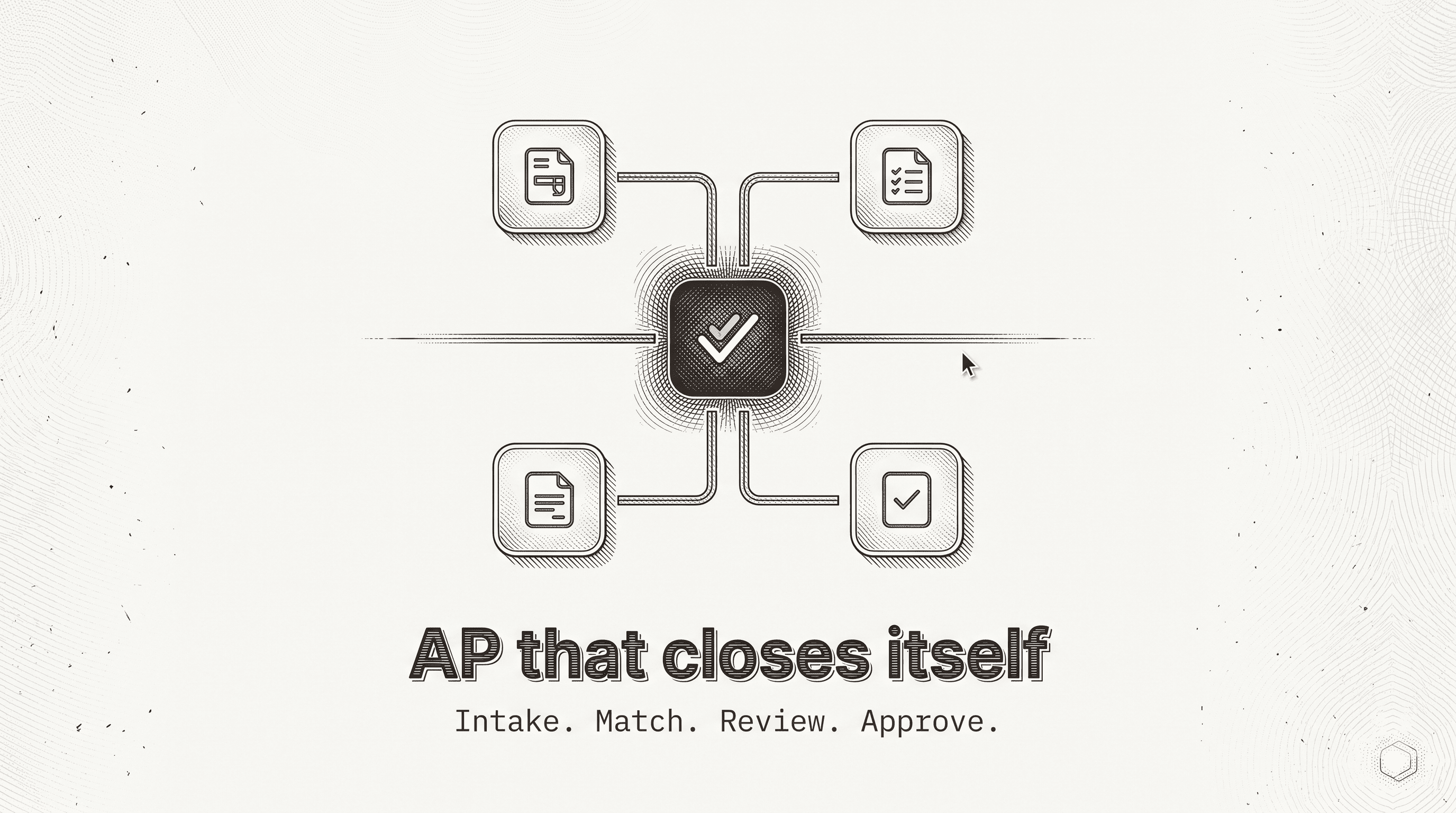
AP automation gets sold as a single thing, and in practice it's five or six different jobs stacked on top of each other: getting the invoice into the system, coding it, matching it against what was ordered and received, catching duplicates and disputes, routing an approval, and posting the result. A tool can automate the first of those and call itself AP automation. This guide treats AP automation as the full stack, names where each piece of it actually lives, and shows where the hours concentrate once a team times the process instead of guessing.
Scope note: this guide covers AP automation for a company running its own payables, from invoice arrival through posting. Payment release itself, authorizing funds to leave the bank, is addressed as a deliberate boundary, not a feature to automate away; see the scope section below. For the close-cycle implications of unbilled receipts specifically, see GRNI. For the AR-side mirror of this process, see Accounts Receivable Automation (planned).
What AP automation actually automates
AP automation is the set of tools and workflows that move a vendor invoice from arrival to payment with less manual handling at each step: capture, coding, matching, approval routing, and posting. Invoice processing is the name for that full path; AP automation is what a team builds or buys to run as much of that path as it reasonably can without a person retyping it.
The confusion starts because "AP automation" gets used for two different claims. The narrower claim is capture: a tool reads a PDF or an email attachment and pulls out the vendor name, the amount, the date, the line items. The broader claim is processing: deciding whether that invoice should be coded to a particular account, whether it agrees with what was ordered and received, and who is authorized to approve it. A capture tool answers what the document says. Full AP automation answers what should happen to it, and that second question is where most of the actual AP workload lives.
This distinction isn't academic for a team evaluating AP automation software. A platform that captures cleanly but still routes every exception, every invoice with no purchase order, every duplicate, every rate mismatch, to a person's inbox for manual research has automated the data entry and left the judgment work untouched. That's still useful. It's just not the whole job, and a team that bought "AP automation" expecting the judgment work to disappear is going to be disappointed by exactly the invoices that used to eat its week.
The AP automation process, stage by stage
The stages are the same whether a company runs five hundred invoices a month or fifty thousand. What changes is volume and how much of each stage still requires a person.
| Stage | What AP automation does here | Where it still breaks |
|---|---|---|
| 1. Intake | Invoices are captured wherever they land: a shared mailbox, a vendor portal, EDI, a scanned batch | Vendor portals with no API and no export are frequently excluded from "AP automation" scope entirely |
| 2. Coding | Each line is coded to the chart of accounts, department, and location, usually from vendor history | Generic category mapping instead of vendor-specific coding history produces a coded batch nobody trusts |
| 3. Matching | The invoice is checked against the purchase order and the receiving document (the three-way match), or against an approval where no PO exists | Invoices with no PO, a contract rate that doesn't match the invoice, or a second copy at a different total don't clear automatically |
| 4. Validation | A second pass checks for duplicates, near-duplicates, and invoices that should be accrued as GRNI rather than waiting for next month | Validation that only checks exact matches misses the duplicate payment that uses a different invoice number or a vendor name with a comma moved |
| 5. Approval routing | The invoice routes to the approver your delegation of authority already names, in the channel they already use | A routed approval that arrives with no context still gets a rubber-stamp click instead of a real review |
| 6. Posting | The approved invoice posts to the ledger, with the coding, the match, and the approval attached | A posted entry with no link back to the source document turns an audit request into a research project |
| 7. Payment release | The pay run is prepared and held for a separate human action | Full payment automation, where nothing stops the funds from moving, removes the one control most finance teams deliberately want to keep |
Two of these stages deserve a guide section of their own, because they're where "we already have AP automation" and "we still lose a week a month to payables" turn out to both be true at once.
Three-way match: the control AP automation runs on
A three-way match compares the purchase order, the receiving document, and the vendor invoice before a payable is approved, and it's the control that most AP automation tooling is actually built around. Agreement on quantity, price, and terms clears the payable. Disagreement sends it to a person.
What a three-way match prevents is specific: payment for goods never ordered, payment for goods never received, and payment at a price other than the one negotiated. What it doesn't prevent is just as specific: it says nothing about a fictitious vendor set up by someone who can also raise purchase orders, nothing about collusion between a buyer and a supplier, and nothing about whether the purchase itself was a good idea. AP automation marketed as a fraud-prevention layer is usually describing this control and overstating its reach.
Tolerance policy is the part of three-way matching that AP automation projects get wrong by default rather than by decision. A zero-tolerance match sends freight rounding and penny-level price drift to a human, which buries the exception queue and trains an approver to click through without reading. Tolerances set too wide let real overbilling clear untouched. The workable middle is a small percentage tolerance with an absolute cap, applied per line, tightened for categories where price should never fluctuate and loosened where it genuinely does.
Where no physical receipt exists, services invoices being the obvious case, a two-way match (purchase order to invoice) replaces the receiving document with an evidenced approval from whoever consumed the service. An approval that isn't evidenced is an assumption wearing a control's name.
GRNI: the AP automation blind spot that becomes a liability
GRNI, goods received not invoiced, is the population of purchase orders where the goods or services arrived before period end but the vendor's invoice hasn't. It matters to AP automation specifically because a liability exists the moment the goods are received, not the moment a bill happens to arrive for them, and invoice timing is the vendor's administrative process, not an accounting event.
This is the one place where good three-way match discipline inside AP automation pays off twice. A process that keeps a clean, current received-not-invoiced report has already identified exactly which purchase orders were received, at what quantity and price, which is the hard part of the accrual. Booking it is what's left. A process without that report is stuck estimating the same population every close instead of reading it off a list that AP automation should already be maintaining as a byproduct of the match.
The accrual itself is straightforward once the population is right: debit the expense or asset the purchase order was for, credit accrued liabilities, for the value received but not yet billed, then reverse the entry when the real invoice posts. What breaks it is a stale "received" or "invoiced" flag: an open-PO report is a snapshot, and the moment an invoice gets keyed against a PO after that snapshot was pulled, the report is wrong until it refreshes. An AP automation process that accrues straight off that flag without cross-checking the invoice register is how a close ends up double-booking a liability that already got invoiced, or missing one that just posted.
Duplicate payments: why AP automation tools still miss them
A duplicate payment is the same vendor obligation paid twice, and it rarely happens because an identical invoice got approved twice. Three-way match already catches that case. It happens because the second payment doesn't look identical: a vendor resubmits under a new invoice number, an invoice gets re-keyed into a different system after an ERP migration, or the same vendor sits on file twice under slightly different names.
That's the limit of what per-invoice AP automation controls can catch. Three-way match is a gate applied before one payment clears; it has no visibility into whether a $4,200 payment that cleared on the 3rd matches another $4,200 payment that cleared on the 17th under a different invoice number. Finding that pair requires checking the full payment population against itself, fuzzy on vendor name, close on amount and date, rather than relying on an exact string match, which is precisely what a duplicate payment is built to slip past.
An AP automation program that stops at invoice-level matching and never runs a population-level duplicate scan has a structural blind spot, not a tuning problem. Once a duplicate is confirmed, recovery, a credit memo, a refund request, an offset against the next invoice, is the part that actually returns the money; a duplicate that's found but never recovered is the same loss as one nobody noticed.
Vendor statement reconciliation: the check that starts outside your own records
Three-way match and a GRNI accrual both work inside a company's own records: an invoice the team already has, checked against a purchase order and a receipt the team already has. Vendor statement reconciliation starts from a document the vendor generated independently, which makes it the AP automation check built to catch an invoice that never reached the subledger at all, lost in a mailbox, sent to the wrong address, never mailed.
Comparing a vendor's statement against the AP subledger turns up three outcomes worth naming separately: a missing invoice the subledger has no record of, an unapplied credit the vendor's statement shows and nobody has claimed, and a disputed item where the two sides disagree on amount. None of these three surface from invoice-level AP automation controls, because none of them involve an invoice that's already sitting in the system waiting to be matched. This check doesn't run against every vendor every period; it concentrates on the highest-exposure accounts, high transaction count, high dollar volume, a history of disputes, on a standing schedule.
Where AP automation hours actually go
Time a payables cycle instead of asking a team why AP automation hasn't closed the gap, and the hours land in a predictable order that most process documentation never shows.
1. The invoice that arrived without a clean path in. A vendor portal with no API, a scanned batch, a PDF buried in a forwarded thread. Before AP automation can do anything, the invoice has to actually get into the system, and this step hides inside every other number because it rarely appears as a line item of its own.
2. The exception that AP automation routes but doesn't resolve. No purchase order, a contract rate that doesn't match, a duplicate invoice number with two different totals. AP automation that only extracts fields hands these straight back as unexplained flags, and resolving them is where senior time actually goes.
3. Chasing an approval that's become a click, not a review. An approver with no context routes an invoice through without reading it, which means the real review either didn't happen or is happening later, during a dispute, when it's more expensive to fix.
4. Reconciling what the subledger believes against what a vendor's own statement says. This is invisible until something goes wrong, and by the time a missing invoice surfaces on a vendor statement, it's often aged past the point of a clean fix.
5. Finding the duplicate after the fact. Recovery work on a payment that already cleared is slower and more awkward than catching it before release, and it's the cost of skipping the population-level scan described above.
Notice what's mostly absent: the comparison itself, once an invoice is coded and the purchase order is in hand, takes almost no time. Nearly everything above is intake, exceptions, and the checks that per-invoice AP automation was never built to run.
How teams actually close the gap
In the order the levers actually work, since the later ones assume the earlier ones are in place.
1. Separate capture from processing in your own evaluation. If an AP automation tool's pitch is mostly about reading PDFs accurately, it's describing capture. Ask specifically what happens to the invoice with no purchase order, the duplicate with a different total, and the accrual nobody raised.
2. Fix the intake gap before anything else. A vendor portal with no export, a shared mailbox nobody triages consistently, is usually the largest hidden block of time in the whole cycle, and no amount of downstream AP automation compensates for invoices that never reliably arrive.
3. Set a deliberate tolerance policy for three-way match. Per the section above, a default of zero tolerance or no tolerance at all is a decision made by accident, and it's the single highest-leverage tuning change most AP automation deployments skip.
4. Add a population-level duplicate scan, not just a per-invoice one. Three-way match and a duplicate scan answer different questions; running only the first leaves the second question permanently unanswered.
5. Run vendor statement reconciliation on the highest-exposure accounts. Not every vendor, every period, but enough of the AP population that a missing invoice or an unapplied credit surfaces before it ages into a real problem.
6. Keep payment release as a deliberate, separate gate. The pay run gets prepared; a person authorizes it. This is the one stage of AP automation most teams should resist automating all the way through, by design rather than by limitation.
AP automation and the close
AP automation isn't a side process from the month-end close; unresolved AP work is one of the more common reasons a close runs long. A GRNI population that wasn't tracked cleanly becomes an accrual estimated under time pressure instead of read off a list. A vendor statement reconciliation skipped for a quarter surfaces a missing invoice during the close instead of before it. An account reconciliation of the AP control account is only as clean as the subledger feeding it, and a subledger with duplicate or stale entries makes that reconciliation harder than it needs to be.
The practical implication: AP automation that runs continuously, invoices matched and exceptions resolved as they arrive rather than triaged in a pre-close scramble, starts the close with the payables side of the balance sheet already settled. That's the same principle account reconciliation applies to every balance sheet account, applied here to the account where it has the most immediate payoff.
What AI agents change about AP automation
Full disclosure: Adopt builds agents that do AP automation work, so read this section as the informed but interested party's view. It comes after everything above deliberately, because the process discipline holds whether or not a team automates any of it.
Recall where the hours actually go: intake from systems with no clean path in, exceptions that per-invoice matching routes but doesn't resolve, and checks like vendor statement reconciliation and duplicate scanning that run across a population rather than one invoice at a time. The reason prior AP automation tooling stopped short of this work is mostly access. The evidence, the vendor portal, the scanned invoice, the statement that never arrived by email, often sits behind a login with no API, so earlier tools automated the reachable fraction and left the rest exactly where it always was.
Agents change the access problem rather than the judgment problem. They sign into vendor, freight, and utility portals the way a person does, read and write the ERP directly, and apply the same matching and coding logic at whatever volume arrives. That puts the actual bottleneck, not the clean invoice, the exception, inside scope.
What matters for a Controller who signs the result:
- The model doesn't touch the numbers. Agents write the extraction and matching code, which a team can read, and the arithmetic runs inside that code rather than as a model's assertion.
- A second agent checks the first. A separate checking pass audits a sample of the coded batch before anything reaches an approver, the same maker-checker discipline a team would apply to a human preparer.
- Exceptions are reasoned about, not just flagged. Two invoices with the same number and different totals get summed and explained; a contract rate mismatch gets escalated with both figures attached, rather than returned as an unexplained stop.
- Payment release stays a human action, every time. Nothing posts, and nothing pays, without a reviewer's sign-off. This is a deliberate boundary in how agents handle AP automation, not a gap to be closed later.
- Your data stays where your policies say it stays, including deployment inside your own environment where the underlying data can't leave it.
For the specifics of how this runs against real invoices, see Accounts Payable Automation, or book a pilot and run it against last month's batch, line by line, before anything touches production.
The agent architecture: how this actually works
Reaching the portal, not just the inbox. A meaningful share of AP intake sits behind logins with no programmatic access: supplier, freight, and utility portals. Adopt's agents operate these the way a person does, reading the screen rather than depending on an integration the vendor never built.
The model writes the matching logic; it doesn't assert the numbers. A language model doesn't compute a three-way match and hand it over as a claim. It writes the extraction and matching code, code a team can read, and the arithmetic that ties the purchase order, the receipt, and the invoice together runs inside that code.
A checker agent runs before a person does. A separate pass audits a sample of the coded, matched batch before it reaches an approver, so the first pass isn't trusted by default.
It remembers how your team resolves things. A recurring reconciling pattern, the same vendor's oddly formatted invoice number, the same contract rate exception, is recorded and proposed the same way the next time it appears, with the autonomy for each exception type set by your team.
The gate belongs to your reviewer. Every account and every vendor class starts fully reviewed. As the match rate holds, a team decides which classes certify on their own and which stay fully reviewed, and that gate can tighten again at any time.
How to implement AI agents in your AP automation process
1. Pick the intake or exception type costing you the most hours. Use the timing breakdown above: a no-API vendor portal or a high-volume exception type, not whichever invoice class looks simplest on a slide.
2. Connect to the systems you already run. NetSuite, QuickBooks, Sage Intacct, Dynamics 365, SAP, whichever ledger holds the payables. Nothing new to learn.
3. Run it against a batch you've already processed by hand. Compare the coding, the match, and the exceptions line by line against what your team already trusts, not a scripted demo on a hand-picked invoice.
4. Keep full review on from day one. Every coded, matched invoice gets reviewed before anything counts.
5. Loosen the gate class by class, as the match rate earns it. Low-risk, high-volume vendor classes usually move to lighter review first.
6. Add the population-level checks once per-invoice matching is running cleanly. Duplicate scanning and vendor statement reconciliation are the natural second wave, since they depend on a clean, current matched population to compare against.
7. Decide where it runs before you start. Cloud on an isolated tenant, your own VPC, or fully on-prem, settled in the first conversation if data residency is a requirement.
Book a Pilot to scope this against the AP exception type costing you the most hours, or start free to try it against invoices you can check yourself first.
AI tools for AP automation, compared honestly
A short, honest list, since "AP automation" now covers several genuinely different products. Category exemplars, not an exhaustive market scan; verify current scope against your own systems before evaluating any of them, including Adopt.
| Tool | Approach | Where it is strongest | Where the gap tends to be |
|---|---|---|---|
| Adopt AI | Agents operate vendor and freight portals, including systems with no API, and your ledger directly. The model writes reviewable matching code rather than asserting figures; a second agent checks the first; payment release stays a deliberate human gate. | Legacy systems and no-API portals, deployment in your own cloud or on-prem, agents and skills as your IP, one platform spanning AP, AR, and the close. | Newer entrant to this specific market; the strongest evidence today is per-engagement rather than a large set of published, third-party-verified benchmarks. |
| Vic.ai | Autonomous coding and matching on invoices with a clean purchase order. | Clean, PO-backed invoice volume at scale. | Exceptions are flagged for a person rather than reasoned through; worth asking directly what share of a given company's invoice volume actually has no PO. |
| Ramp, BILL, Stampli, Medius | AP-focused platforms, several bundled with a corporate card or payment rail. | Card-plus-AP workflows and mid-market invoice volume already flowing through a clean integration. | Primarily a rail or a point tool for the AP step itself, not a system that reaches into reconciliation, GRNI, or the close on the other side of the payable. |
| DocLink, Sage native automation, and similar incumbent-plus-AI tools | Document capture and workflow routing with AI layered on top of an existing AP platform. | Teams already standardized on the base platform who want incremental automation without switching systems. | The AI layer typically automates the happy path and hands the exception back; coverage of judgment-heavy cases should be verified rather than assumed from the marketing. |
One category worth naming even though it isn't in the table: general-purpose AI plus your own build, Microsoft Copilot, Power Automate, or a direct model API key. It's a genuine first option for a number of teams and can cover real ground on clean, well-structured invoices. What it doesn't include out of the box is the AP-specific matching logic, the no-API portal coverage, the checker layer, and a review workflow more than one person can work in, which is what tends to get rebuilt by hand as the vendor list grows past the easy cases.
What this does not do
Agents do not release payment. The pay run is prepared and held; a person authorizes it from the bank, by design, and we recommend keeping it that way regardless of which AP automation tool a team runs.
Agents do not settle a vendor dispute or decide whether a cost should be capitalized. Both arrive as exceptions with the invoice, the purchase order, and the variance attached, and both stay open until a person answers them.
An invoice from a vendor with no purchase order and no coding history needs more review than a recurring one, and that's true of any AP automation, agent-driven or otherwise. The method gets stronger once a period of coded history sits behind it, not before.
The condensed AP automation checklist
Setup (once, then reviewed periodically)
- Every intake path named: mailbox, portals, EDI, scanned batches, with an owner for each
- Tolerance policy for three-way match documented, not defaulted
- A current, reconciled GRNI (received-not-invoiced) report maintained as a byproduct of matching
Per invoice
- Captured wherever it arrived, not just the systems with a clean integration
- Coded against vendor-specific history, not a generic category map
- Matched against the purchase order and receipt within the documented tolerance
- Routed to the approver named in the delegation of authority, with the discrepancy attached if any
Population-level, on a schedule
- Full payment history scanned for duplicates and near-duplicates, not just exact matches
- Highest-exposure vendor statements reconciled against the subledger
- GRNI population cross-checked against the invoice register before the accrual is proposed
Review
- A second pass checks a sample of the coded, matched batch before an approver sees it
- Payment release stays a separate, evidenced human action every time
Related reading
In this cluster (planned unless linked)
- How to Automate Invoice Extraction and Categorization from PDFs (planned)
- 3-Way Matching, Explained (And When to Automate It) (planned)
Related workflows
Glossary
Related guides
- The Month-End Close: The Complete Guide
- Account Reconciliation: The Complete Guide
- Accounting Automation That Survives Contact With a Real Firm
- Accounts Receivable Automation: The Complete Guide (planned)
This guide describes AP automation as it runs inside finance teams processing their own payables. Volume and tooling vary by company; the distinction between capture and full processing is the constant.
Product names in the tools comparison above are cited as category exemplars to make the comparison concrete. Inclusion is not an endorsement and the list is not exhaustive. Verify current scope against your own workflow rather than against this table.