
What Is Flux Analysis? A Guide for Accounting Teams

Deepak Anchala
Co-Founder and CEO, Adopt AI28 October 2026
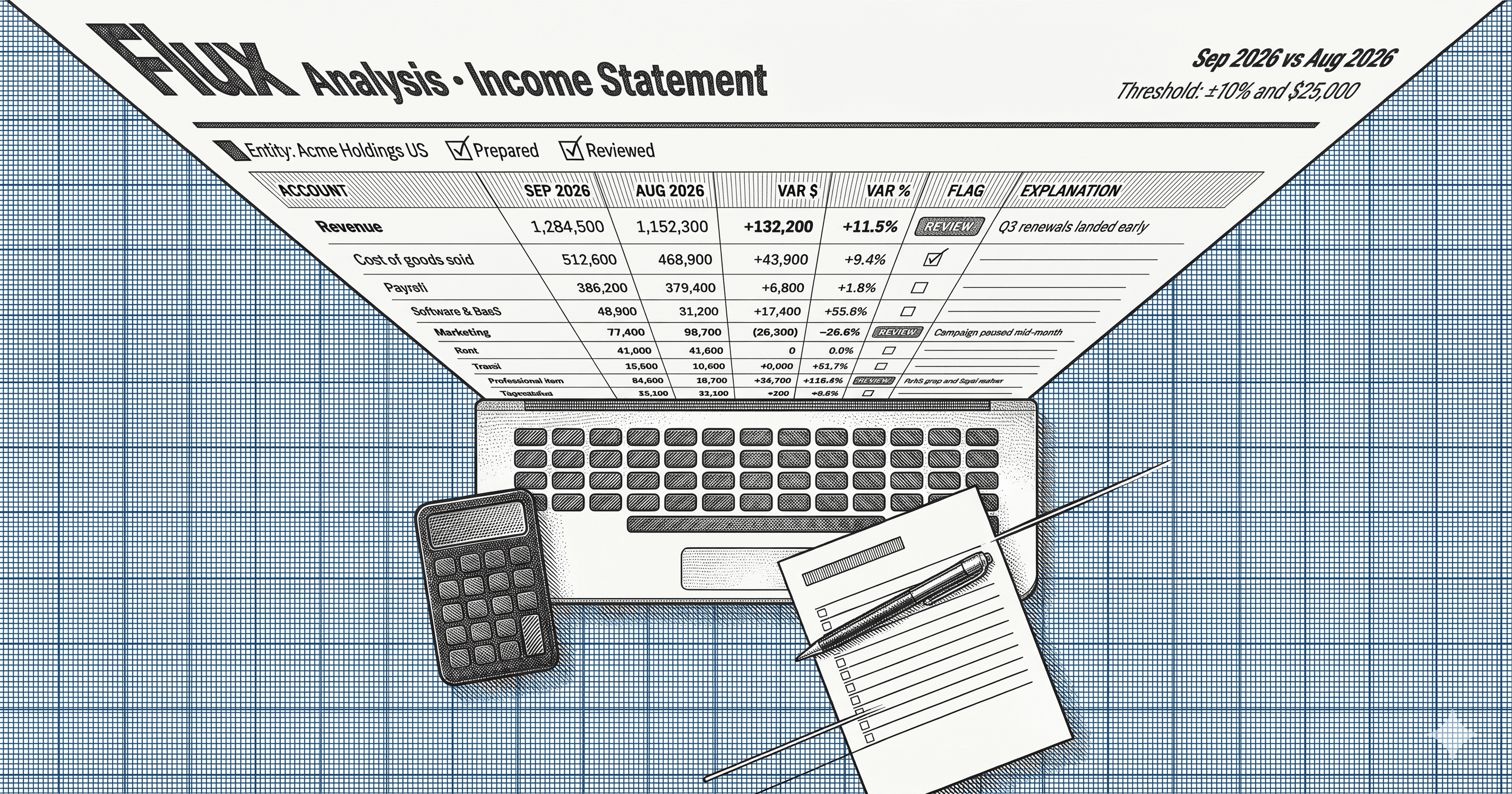
It is business day four. The trial balance is loaded, 300 accounts sit in two columns, and the controller needs to know which ones moved and why before anything goes to the CFO. That review is flux analysis. This guide covers what it is, how to run it, and how to write explanations that survive a second reader.
What flux analysis is
Flux analysis compares account balances across two periods and explains the changes that matter. The standard comparison sets this month against last month. Teams also compare to the same month last year, which removes seasonality.
The goal is to find mistakes and surprises before the statements leave the building. A duplicated accrual, a misposted invoice, and a missed cutoff all show up as an account that moved for no reason anyone can state. Flux analysis is a detective control that catches errors while correction is still cheap.
Do not confuse it with its two relatives. Variance analysis compares actuals to any benchmark and serves management. Budget vs actual compares to the plan. Flux looks backward at the books, and the other two look at performance. A close process usually needs all three. The full treatment of the family is in the flux analysis guide.
Set two thresholds before you start
Reviewing every account wastes the day, and reviewing none defeats the purpose. Set a threshold, and set it in two dimensions.
A percentage alone flags every small account that went from $100 to $300. A dollar amount alone ignores an account that collapsed 90% but holds little money. Require an account to exceed both tests before it earns an explanation. A starting point of 10% and $10,000 works for many mid-size companies, and your materiality drives the final numbers.
Set the thresholds before you see the results. A threshold chosen after the fact explains whatever someone already found interesting.
How to run the review
- Pull both trial balances from the general ledger. Confirm the prior period is final. A comparison against a balance that later changed produces false flags.
- Calculate the change in dollars and percent for every account.
- Apply the thresholds. Mark every account that exceeds both.
- Investigate each flagged account. Open the ledger detail, find the transactions that drove the change, and attach the support.
- Write the explanation. Name the driver, quantify it, and cite the document.
- Review and sign off. A second person tests the explanations and records the date.
Steps 1 to 3 take minutes in a spreadsheet. Steps 4 and 5 consume the time, and that is where teams lose days. For where this step sits in the calendar, see the month-end close checklist.
What a usable explanation looks like
Most explanations restate the number. "Professional fees increased" tells the reviewer nothing they did not see in the column.
| Account | Change | Weak explanation | Usable explanation |
|---|---|---|---|
| Professional fees | +$180,000 | Higher legal and consulting costs | ERP implementation began in March; $180,000 billed per the signed statement of work |
| Deferred revenue | -$95,000 | Revenue recognized | Three annual contracts reached the end of their term; $95,000 moved to revenue per the recognition schedule |
| Accrued expenses | +$60,000 | Timing | December freight invoices of $60,000 arrived after cutoff and were accrued per the receiving log |
The test is simple: can the reviewer verify the explanation without returning to the preparer? A good one names the driver, gives the amount, and points at the evidence. When several drivers contribute, list each with its amount so the parts sum to the change.
Two habits improve the work over time. Carry explanations forward, so a recurring movement is recognized as recurring. And watch for netting: a flat account can hide a large increase offset by a large decrease, so drill into accounts that look quiet but hold activity.
Where AI agents fit
The comparison and the thresholds are mechanical. The explanations are where a team spends its week, because each one means opening ledger detail, finding the driver, and writing it up.
Adopt's Reporting Agent takes that preparation off the team. It pulls the trial balance, applies your thresholds, traces each flagged account to the transactions behind it, and drafts an explanation with the support attached. The controller reviews every draft and approves it. Nothing goes into the close package without that sign-off, and each number traces back to its source transaction.
The team's role shifts from preparing the analysis to reviewing it. A controller who spent two days writing explanations spends the time deciding whether the explanations are right.
Next steps
If your flux review still runs in a spreadsheet and takes most of a week, start with the thresholds: set both, write them down, and apply them the same way every month. Then look at how much of the remaining time goes to investigation and drafting. That is the work to hand to an agent. Sign up free to see Adopt draft a flux explanation on your own trial balance.
For the complete treatment, including worksheets and a tool comparison, read the Flux Analysis guide, and for the full close calendar see the Month-End Close guide.
FAQs

Related Articles
Bank Reconciliation: A Step-by-Step Guide (With Template)
Bank Reconciliation: A Step-by-Step Guide (With Template)

See it running on your workflows
Automate your accounting workflows